Scenes Outline: How To Use
March 5, 2026 vers. 2.0
Let's Begin
Create/plan/map/outline/fix your scenes, beats, chapters, story, in a vertical outliner format in the Scenes Outline. After you've written, before writing, or during writing to find the right story to tell. Do it your way.
A quick vertical Scenes Outline format for your story. Scenes Outline adds to your joy of writing and uses your writing think time effectively.
Use your scenes outline to quickly in a visual text way plan, replan, revise, map out, fix, describe, organize, write, rewrite, plot, replot, your story, novel, book, or parts of your story.
Create/edit/reorder your story, novel, book, story bible, story map, scene map. View/Filter/Create story arcs, character arcs, series arcs, story tags etc...(filters available in future version)
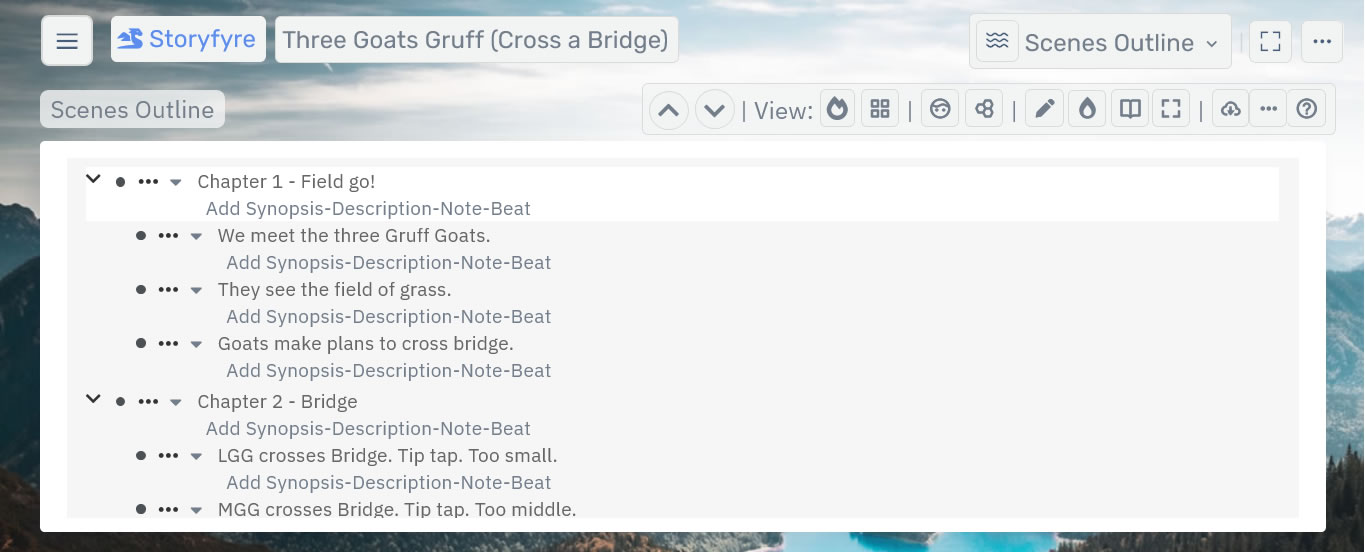
Storyfyre story and scene outlining is the fastest way to think through and really get to know your story, after you've written it, before you do, or in between. To get the best story.
Then download/export a story writing template to your favorite writing software or continue to use our software for focused effective writing.
Write faster, rewrite faster, plan stories better, write better. Finish more stories. Have more fun writing.
What this Page Covers
Basics
The Scenes Outline works much like the Scene Map except in a quick featured outliner style format.
Anything done in the Scenes Outline automatically updates the Scene Map and vice versa.
The Scenes Outline outliner system consists of a set of easy and quick-to-use areas to help you plan, outline, fix, and organize your stories better, after you write them, before, or during writing.
Use your writing thought time effectively, with the Scene Map + Scenes Outline to create more writing time.
Create your story, your way.
No matter what writing process you use to create it. Drill down and focus.
Ways to use, and things to use Storyfyre's Scenes Outline for?
Read: Ways to use, and things to use Storyfyre's Scenes Outline for?
Get Started
The Storyfyre Scenes Outline work area is divided into:
- The Top Menu
- Area Toolbar - With Up And Down Scroll Buttons
- The Scenes Outline Work Area
- And depending upon your writing device screen size a left hand Hover Action Menu
(On smaller screen devices the left hand Hover Action Menu is hidden under a three-line hamburger menu on the top menu.)
(Larger screens will display the left hand Hover Action Menu.)
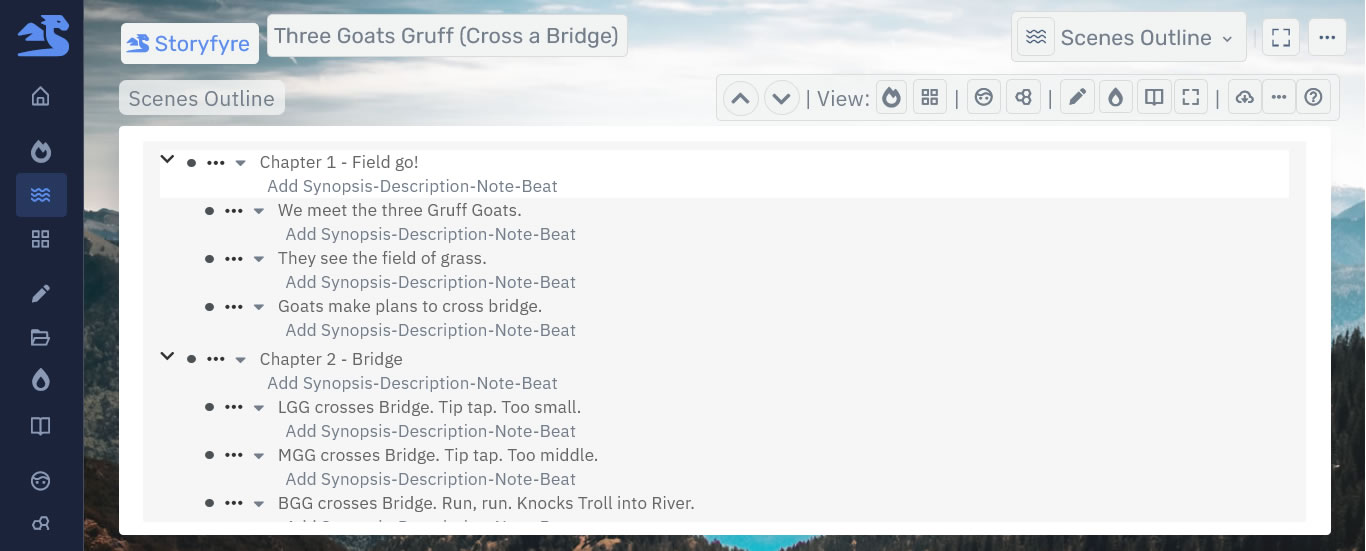
The Top Menu is the same for all areas of the software.

In the Scenes Outline use the ellipsis button outline menus for chapters and scenes in the Outline Work Area to quickly create/customize, add/edit chapters, add/edit scenes/story beats to the Scenes Outline for both chapters and scenes/story beats areas.
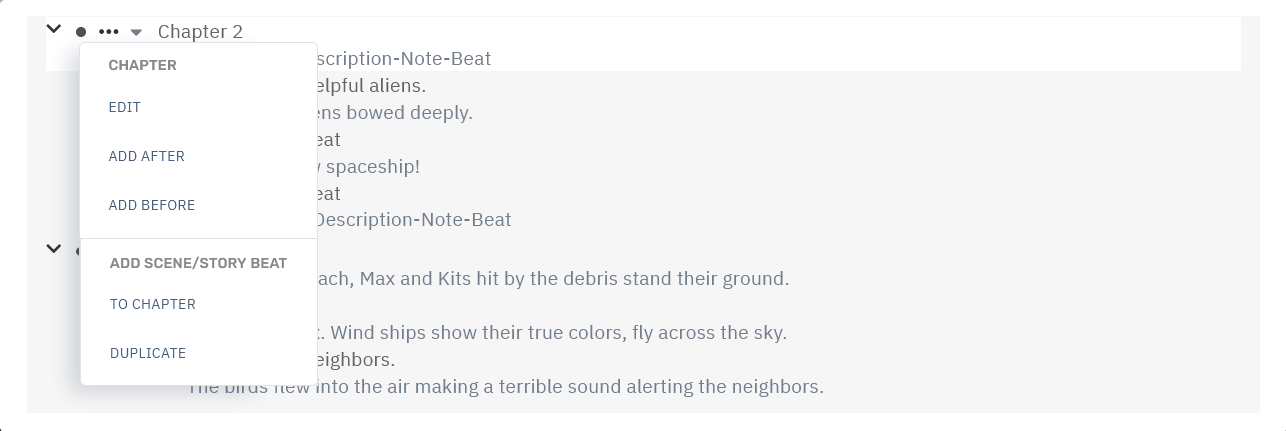
Click/tap(touch) bullets to get the open/close/toggle-complete menu.
Click-hold/touch-hold(touch) bullets and drag to easily move and reorder chapters and scenes/story beats.
Click/tap(touch) any chapter text or scenes/story beats text to add/edit text and open their edit panel.
Read more about using the Scenes Outline, Scenes Outline Chapter's, and Scenes/Story Beat's features:
Scenes Outline: Work Area Navigation.
Scenes Outline: Chapters.
Scenes Outline: Scenes/Beats/Sections.
Use the Quick Tips found under the help menu icon button on the Scenes Outline toolbar for a fast start.
Scenes Outline Quick Tips help you get a quick start. Use the Scenes Outline to plan/map/replan a story.

We'll cover the Scenes Outline Toolbar and Filter Area separately in the Scenes Outline Toolbar Help Area:
Scenes Outline: Toolbar
And the Scenes Outline: Filters Help Area:
Scenes Outline: Filters
Scenes Outline Areas:
The scenes outline contains the following:
Scenes Outline: Toolbar
Navigate the Storyfyre software areas, Use the Scenes Outline filters and toolbar functionality
Scenes Outline: Toolbar
Scenes Outline: Work Area Navigation
All the menus/navigation in the outline area, add/create, edit, delete, manage, move, order, and reorder.
Scenes Outline: Work Area Navigation
Scenes Outline: Chapters
Add/Create, edit, delete, manage, move and order Chapters.
Scenes Outline: Chapters
Scenes Outline: Scenes/Beats/Sections
Add/Create, edit, delete, manage, move and order Scenes/Beats/Sections.
Scenes Outline: Scenes/Beats/Sections
Scenes Outline: Filters
Filter your Story/Scenes Outline/what you can see by story arcs, character arcs, series arcs, user created tags, story filters, story tags and more.Drill down and focus or keep it as light as you want to. Create story arcs, character arcs, series arcs, user created tags, story filters, story tags, and more to filter your story/scene map.
Scenes Outline: Filters
Scenes Outline: Filters
Scenes Outline: Download/Backup/Export:
Download, backup, export your scene map, story map, story bible.
Scenes Outline: Download/Backup/Export
Scenes Outline: Ways to use Storyfyre's Scenes Outline.
Ways to use, and things to use Storyfyre's Scenes Outline for?
Scenes Outline: Ways to use Storyfyre's Scenes Outline. Help
Limits
We know of some limits within Storyfyre, in each area we will try and list the ones we know of at the bottom, and ones which we intend to address with our future updates.
Storyfyre is growing daily, let us know what we can include, change, update. We appreciate your help.