Write: How To Use
March 5, 2026 vers. 2.0
Let's Begin
Use Storyfyre's Write area/writing app to quickly and easily concentrate on the story and writing areas you need to be writing on. Makes writing focus, and story focus easy.
Having writing focus and clarity leads to better, faster writing. More fun in your writing and stoties.
Use your write area plus scene map to quickly and easily concentrate on the writing you need to work on. Write your story, your way.
Storyfyre keeps your writing momentum and focus going.
Or quick jump right in, only use the Write area to write your chapters, scenes, and story text here. And it automatically creates your Scene Map for you, behind the scenes.
Then later, go to the Scene Map, and easily fix, plan, re-plan, plot, re-plot and refine your story. Storyfyre makes creating a great story, novel, or book easier. Keep your writing focused, and together. Write your way.
What this Page Covers
Basics
Storyfyre's projects support you without any extra work, behind the scenes.
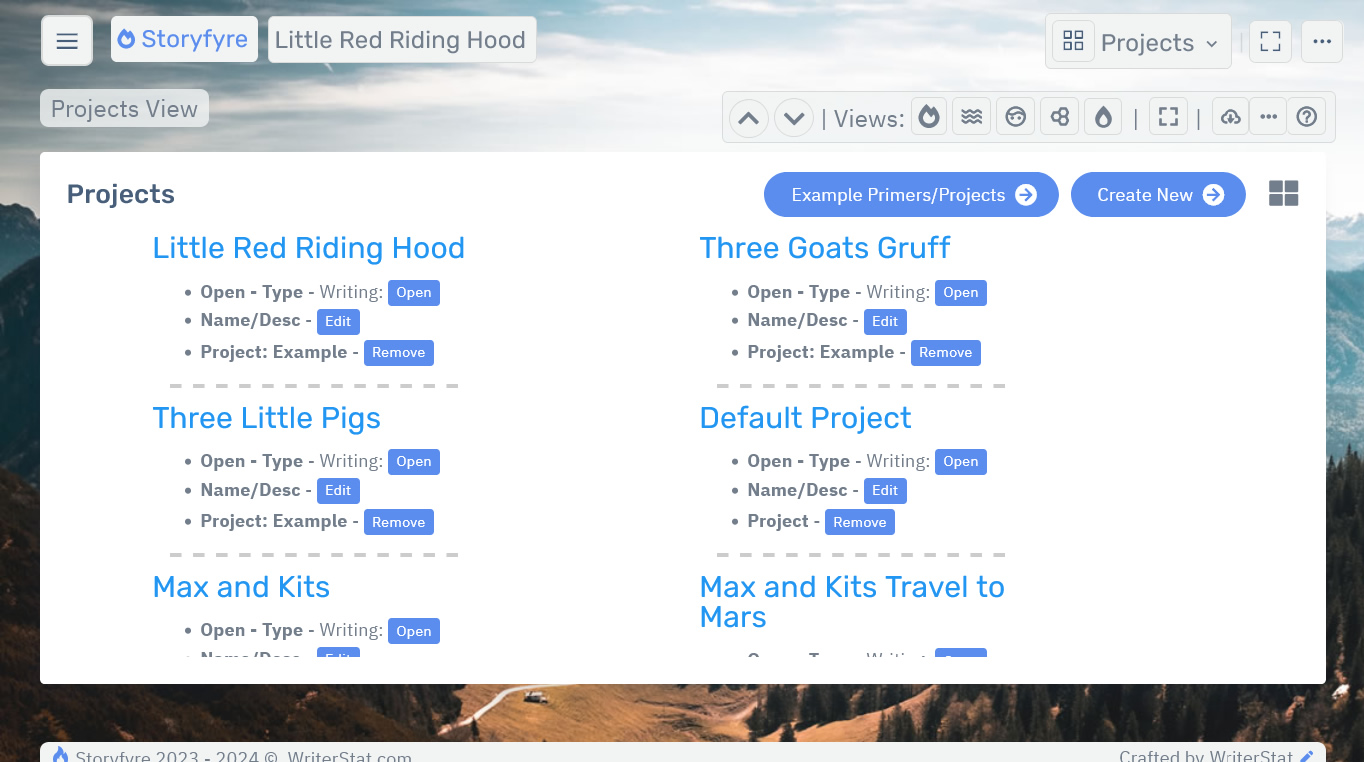
You can create and manage projects for Books, Stories, Novels, Series, Thesis, Papers, Articles, Drafts, and any other writing project, you'd like a project for.
Note: When you log in, the Storyfyre software automatically opens to the Scene Map of the current project you last worked on.
You can load/open Example Primers/Example Projects using the Example Primers/Projects button and the Example Primers/Projects page. To see how Storyfyre is used.
Limits
We know of some limits within the Write area, that we will be addressing with future updates.
Any limits will be included here.
Storyfyre is growing daily, let us know what we can include, change, update. We appreciate your help.